ONLINE ONBOARDING
Step-by-step tutorials to help you get started with OCLite faster.
Step 1: Global Configuration
Step 2: HRMS
1. HRMS Configurations – Manage Department
2. HRMS Configurations – Manage Designation
3. HRMS Configurations – Manage Job Classifications
4. Staff Management – How to Add New Staff?
5. Staff Management – How to Edit Staff’s Information?
6. Leave Setup – Step 1: Define Leave Types
7. Leave Setup – Step 2: Leave Entitlement Defaults
Step 3: Payroll
Step 4: Accounting
1. Accounting Configurations – Wizards
2. Accounting Configurations – Accounting Period
3. Understanding Chart of Accounts
4. How to Create and Manage Customer (Debtor)
5. How to Create and Manage Invoice
6. How to Create and Manage Receipt (Receive Payment)
7. How to Create and Manage Credit Note
8. How to Create and Manage Debit Note
9. How to Create and Manage Supplier (Creditor)
10. How to Create and Manage Receive Invoice
11. How to Create and Manage Self-Billed Invoice
12. How to Create and Manage Payment (Issue Payment / Payment Voucher)
13. How to Create and Manage Received Credit Note
Step 5: Pricebook
Step 6: CRM
Step 7: POS
Step 8: System Enhancements (Optional)
Global Configuration
1. How Do I Change My Username, Email, or Password?
2. How to Set Reports Template?
4. What Should I Do If I Forgot My Password?
HRMS
1. HRMS Configurations – Manage Approvers
2. Staff Management – Resign, Deactivate, Suspend & Unassign
PAYROLL
1. Manage Adjustments – Adjustment Purposes
2. Manage Adjustments – Add Adjustment Individually
CRM
1. Contact Book Overview (Leads, Accounts and Contacts)
3. Financial Transactions Overview
ACCOUNTING
Step 9: OC Lite Beginner Certification
Complete all onboarding modules to unlock and download your Beginner Digital Certificate.
HRMS Configurations – Manage Designation
The Designation submodule in OfficeCentral allows your company to:
-
Organize staff by designation
? Where to Access HRMS
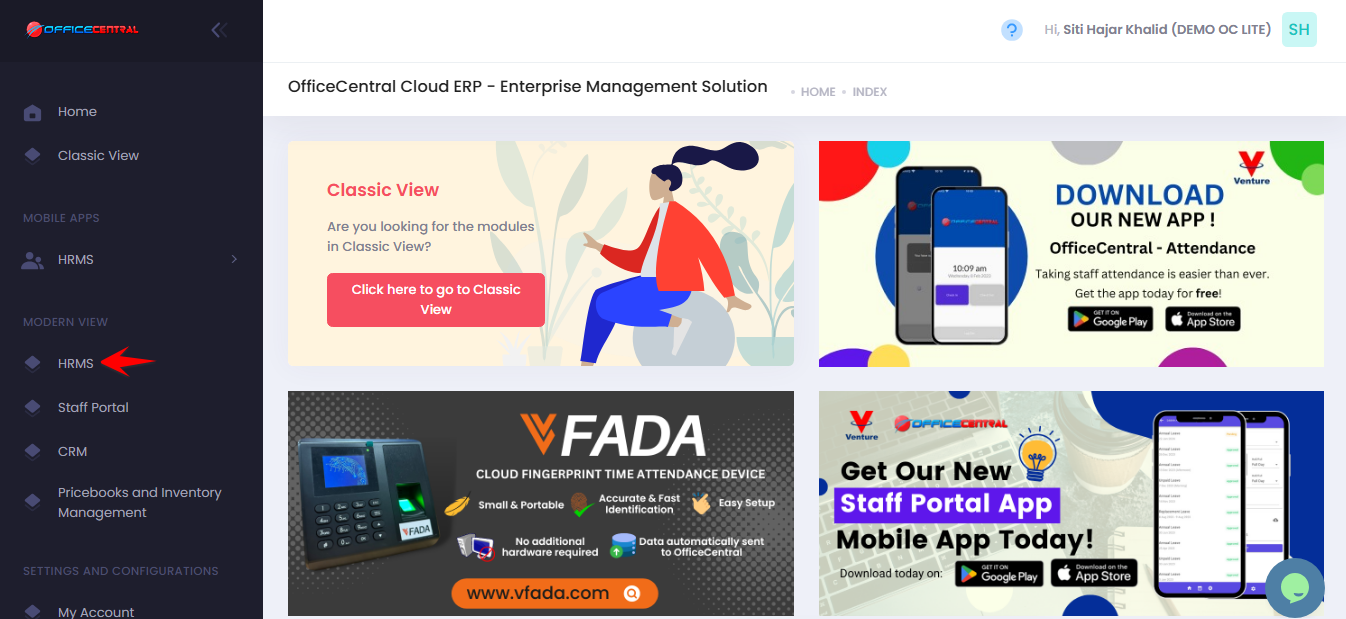
? Where to Access This Function
-
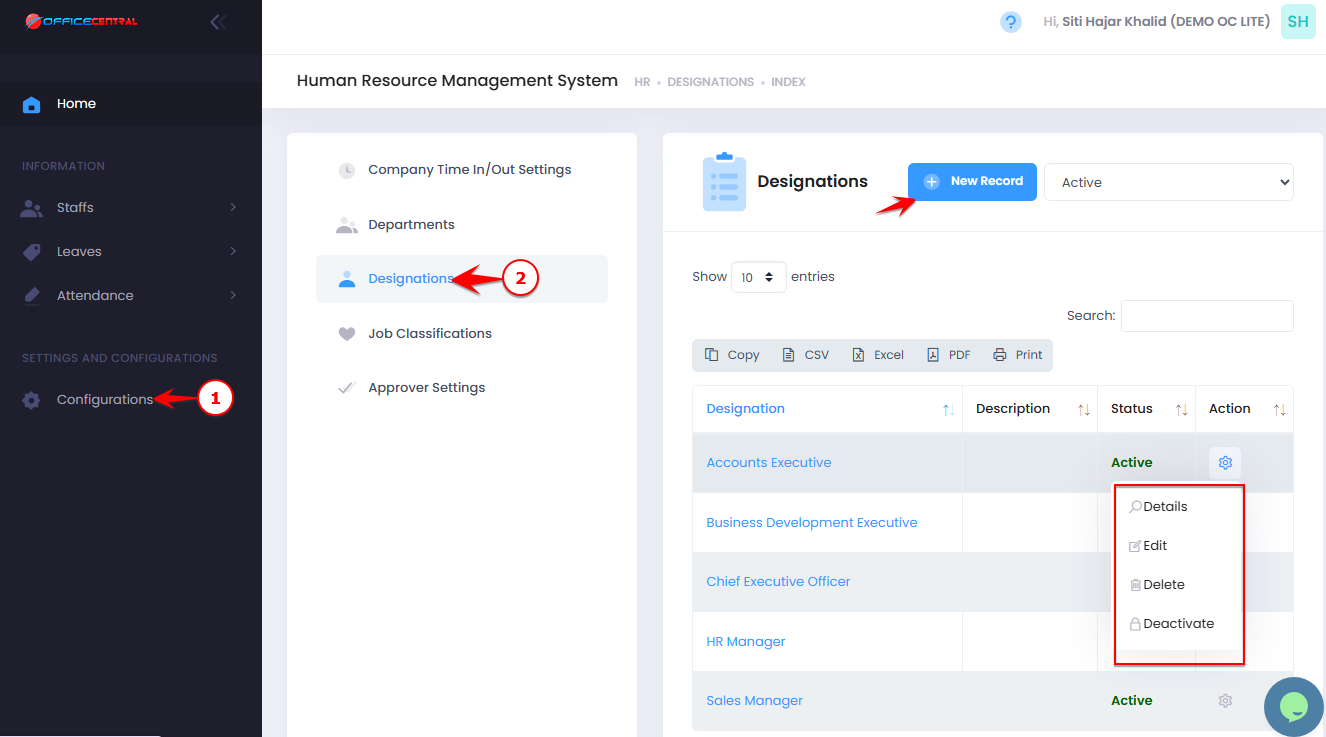
Go to Configurations
-
Click Designation
-
From here, you can:
No. Action Description Button 1 Add Create a new designation Click New Record at the top of the page 2 Detail View designation details Click Details next to the designation in the list 3 Edit Modify an existing designation Click Edit next to the designation in the list 4 Delete Permanently remove a designation Click Delete next to the designation in the list 5 Deactivate Temporarily disable a designation without deleting it Click Deactivate next to the designation in the list
Use the screenshot below to locate the Add New button:
1️⃣ Add a New Designation (Compulsary Fields)
-
Click New Record
-
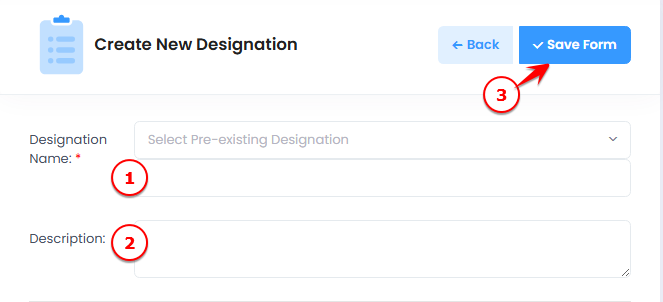
Fill in the designation details:
| No. | Field | What to Enter |
|---|---|---|
| 1 | Designation Name | Full name of the designation (e.g., HR Executive) |
| 2 | Description | Optional notes about the designation |
-
Click Save Form to create the designation
Use the screenshot below to locate all fields and the Save button.